Why You Should Avoid Offset in Your DB Queries

Software Engineer at smallcase 🧑🏻💻 | GSoC at PublicLab 🌴 | Writing atomics on web dev ✍🏼
We often use offset or skip in our database queries to fetch paginated data. This helps in implementing server-side pagination where it is not convenient to fetch all the data at once for performance reasons.
Real-world use cases for this might be when you're fetching orders made by a particular user (eg. Amazon), stargazers on a repository, or simply the Google search results page.
All of these use pagination but there's a slight difference. You might notice two patterns:
- Where you get "Next" and "Previous" buttons for moving around pages, and

- Where you see numbered pages, allowing you to jump to any page directly.

It is easy to guess that the second implementation uses offset (or skip), while the first one doesn't.
Why offset is bad?
Performing offset (or skip) on your database affects performance because of the way the database fetches the rows. Offset happens after the database has fetched all the matching rows.
Let's look at the output of offset queries:
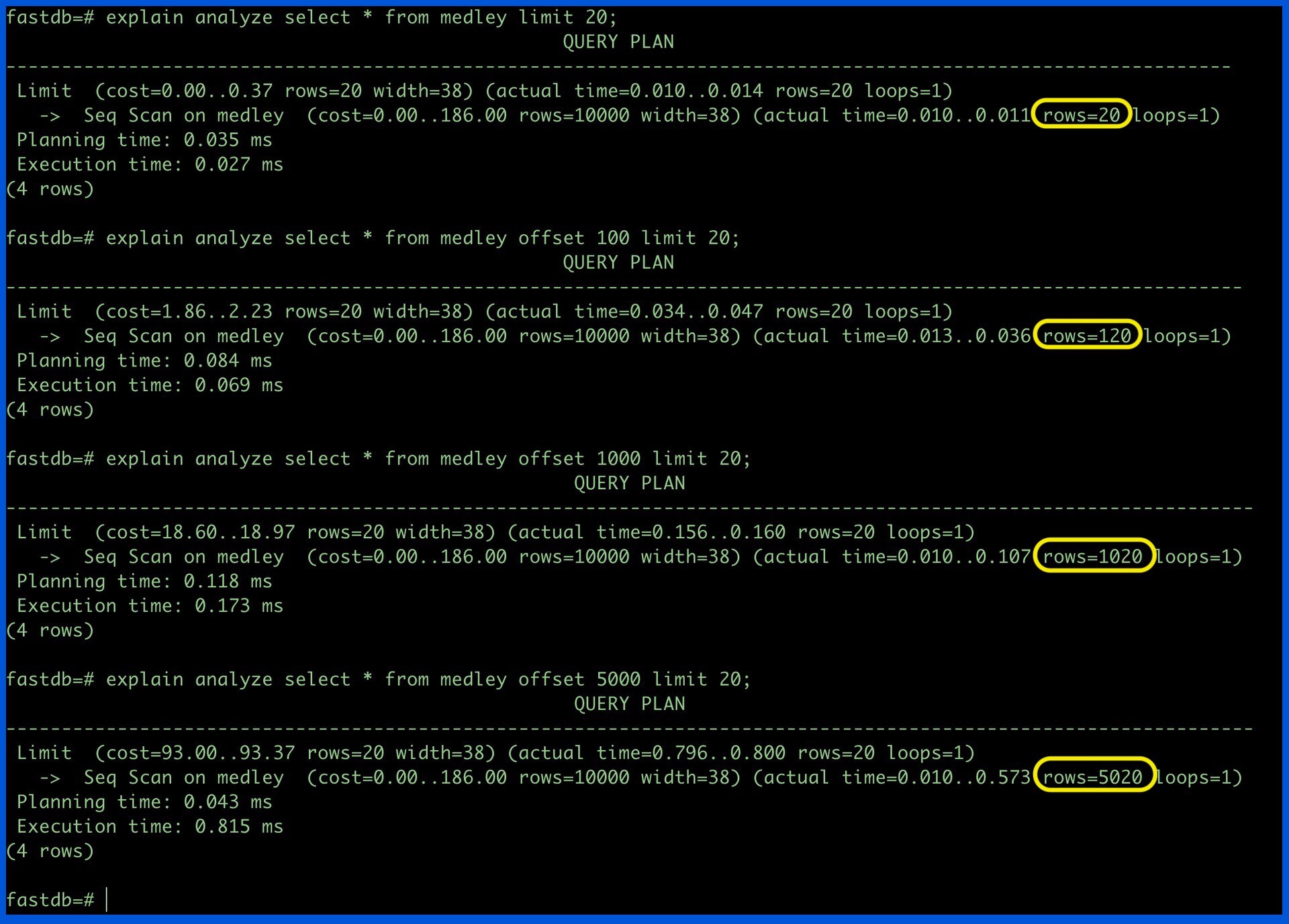
As shown above, the number of rows that the database fetches is offset + limit instead of just limit.
This does not seem like anything for the small number of rows, the latency adds up to an unacceptable amount when rows increase.
How to avoid offset?
Use keyset pagination. Here are the 4 steps framework you can use, feel free to fine-tune based on your use case:
- Create a database index on the relevant field (eg. timestamp). If your database schema has no timestamp or auto-incrementing field, you can create a key dedicated to this purpose.
- Fetch rows in descending order (or ascending) and limit only X (I usually prefer 20) rows.
- Store the least (or highest) value of the timestamp field.
- To request data for a new page, simply fetch data where
timestamp < least (or highest) timestamp for first X rows.
If you want to read more, here's an interesting read: no-offset.